SMS: ready-made integrations
Description
Altcraft Platform uses integrations with gateways of mobile operators to send SMS to your customers. If you can't see operator you need in the list below - we can develop a custom integration during a pilot project (On-premises product trial). Contact support@altcraft.com for details.
Integrations
The following integrations are available out of the box:
- SMSc.ru — SMS gateway by "СМС-Центр". Service documentation
- SMSimple.ru — SMS gateway by "Юлабс". Service documentation
- BulkSMS.com — SMS gateway by "Celerity Systems". Service documentation
- Devino.Online SMS — integration with API of Devino Telecom gateway. Service documentation
- SMSTraffic — SMS gateway by "СМС-Трафик". Service documentation
- Infobip — SMS gateway by "Infobip". Service documentation
- MTS — SMS outlet by "МТС". Service documentation
- MFMS EDNA — SMS gateway by "EDNA". Service documentation
- Sky Media — SMS gateway by Sky Media. Service documentation
- Play Mobile — SMS gateway by Play Mobile. Service documentation
- Rapporto — multipurpose platform Rapporto. Service documentation
- VK Notify — SMS gateway by Notify
- SberMobile — SMS gateway by SberMobile. Service documentation
- Stream telecom — SMS gateway by "Stream telecom". Service documentation
- Intellin — SMS gateway by Intellin
- Seven Tech — integration with the SEVENTECH SMS gateway. Service documentation
- i-Digital — SMS gateway by i-Digital. Service documentation
For proper operation of certain integrations, you need to provide specific information to the provider (for example, to receive statuses of sent SMS messages, you must provide a Rapporto URL to accept delivery status reports), or specify a provider-specific parameter. To do this, contact the platform administrators.
Sender configuration
Cloud
If your SMS gateway is listed among the ready-made integrations, contact support at support@altcraft.com with the following information:
- API token or key for your SMS gateway account;
- Caller ID (sender name) approved by your provider.
The support team will configure the sender on your behalf.
On-premises
To start messaging using a ready-made integration, get the service account and credentials and add a new sender in Altcraft Platform Administrative panel:
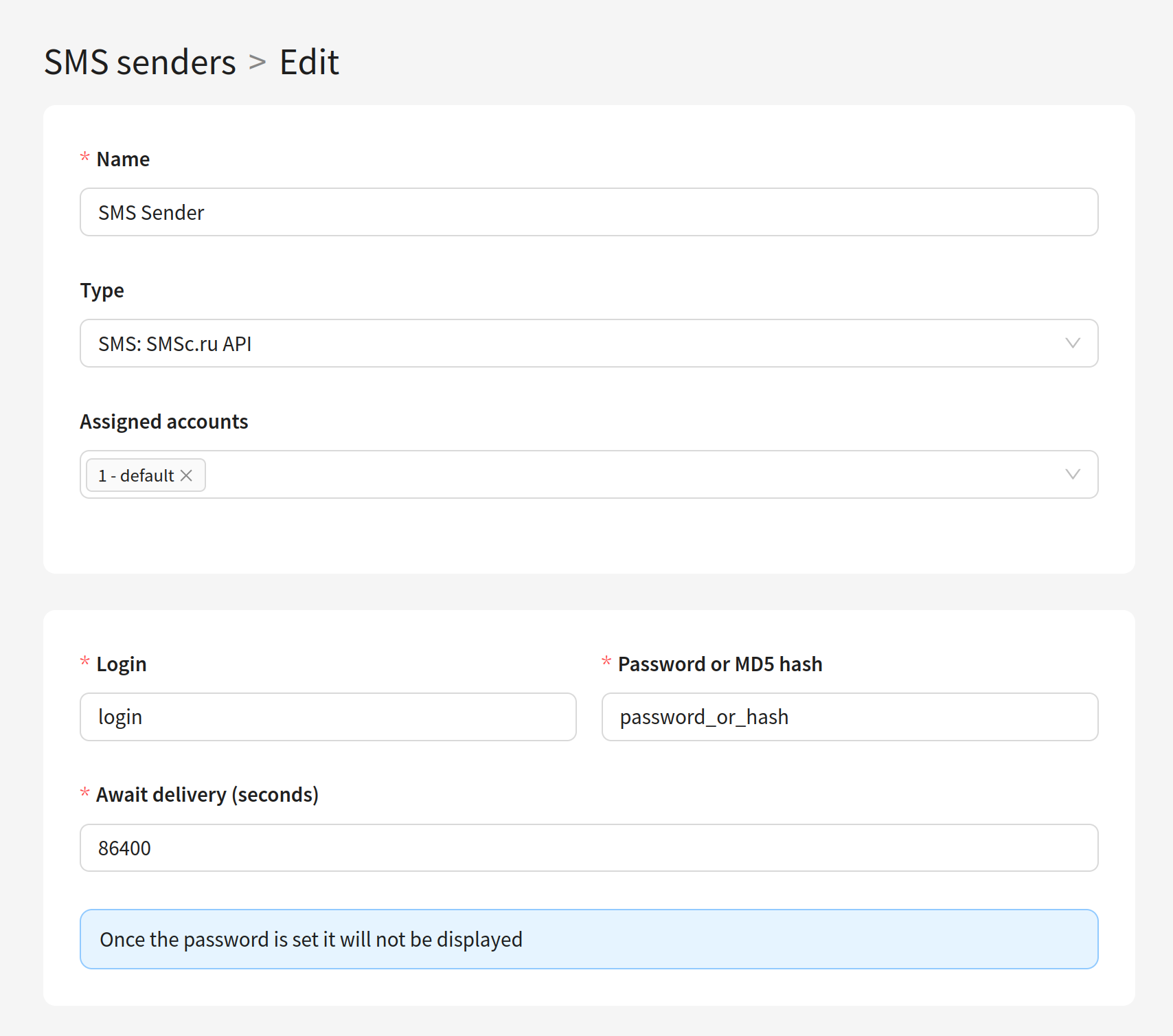
Altcraft Platform also supports Faktura SMS outlet. For details please contact support@altcraft.com.
Then add your sender to one of virtual sender rules for SMS:
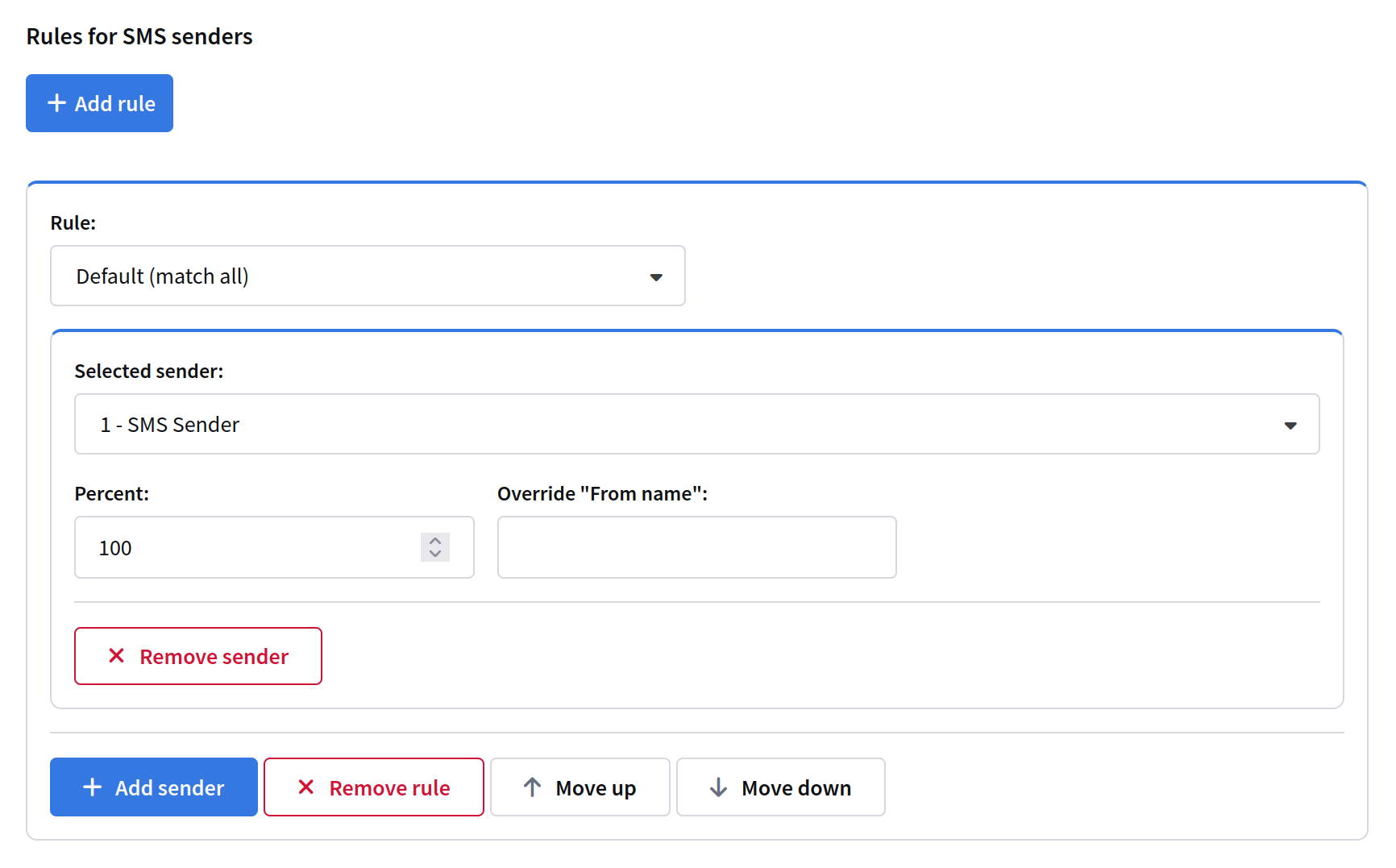
After you get a CALLER_ID from your telecom service, enter it in your Resource SMS tab:
