Connecting to MAX
Connecting to the MAX messenger is required to configure MAX integrations — the MAX Bot and MAX Group channels.
Create a bot in MAX beforehand. Bot creation is available only for accounts that passed verification for legal entities and individual entrepreneurs. Learn more — in the MAX documentation.
By July 19, 2026, HTTP requests to the MAX API must be redirected to the domain platform-api2.max.ru (instead of platform-api.max.ru). You must also add the MinTsifra certificate to your list of trusted certificates. More details — in the MAX documentation.
Step 1. Getting the bot API token
Go to the MAX for Partners platform. Open Chatbots —> Integration — Get token. Copy the token: | 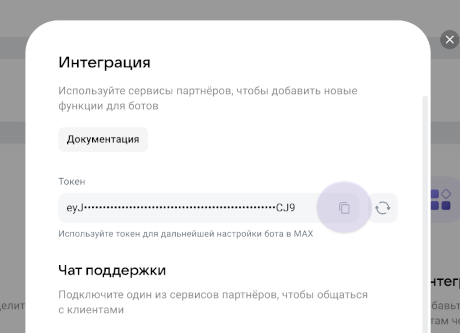 |
Step 2. Creating the connection in Altcraft
Open Settings —> Connections. Select the connection type MAX. Click Create. Specify the name and description: | 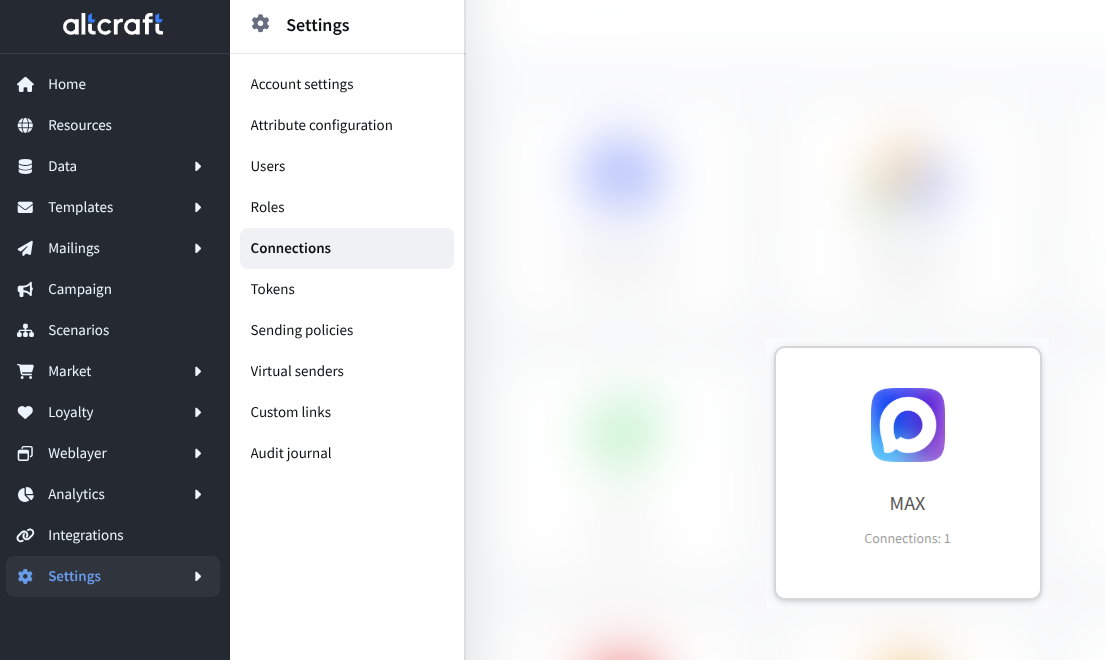 |
Step 3. Entering the token and checking
Specify the API token. Click Check. If the data is valid, a confirmation appears: | 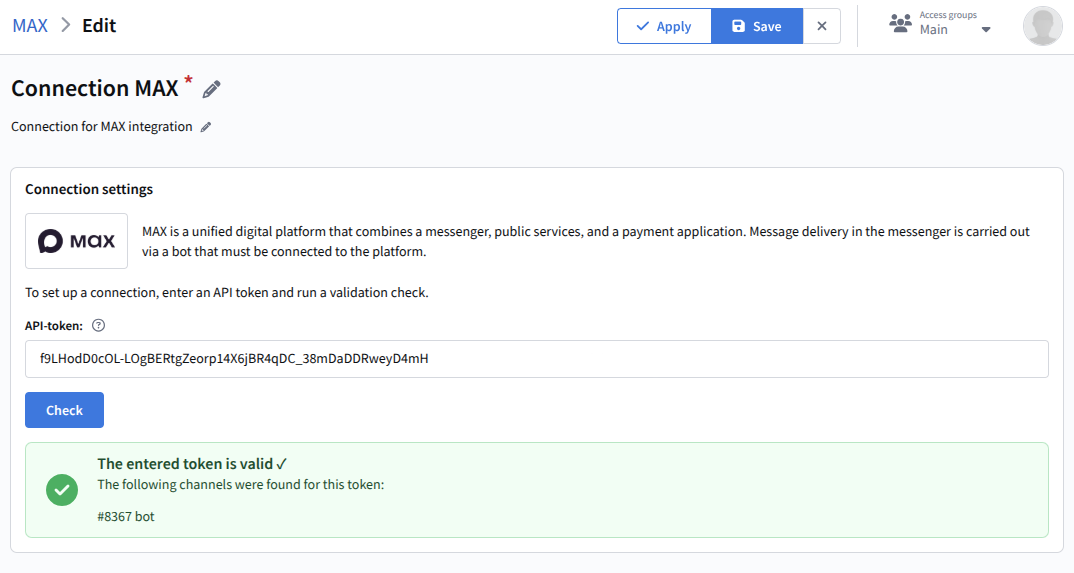 |
Step 4. Saving the connection
Click Save.
The connection is ready to use. Proceed to setting up MAX integrations.